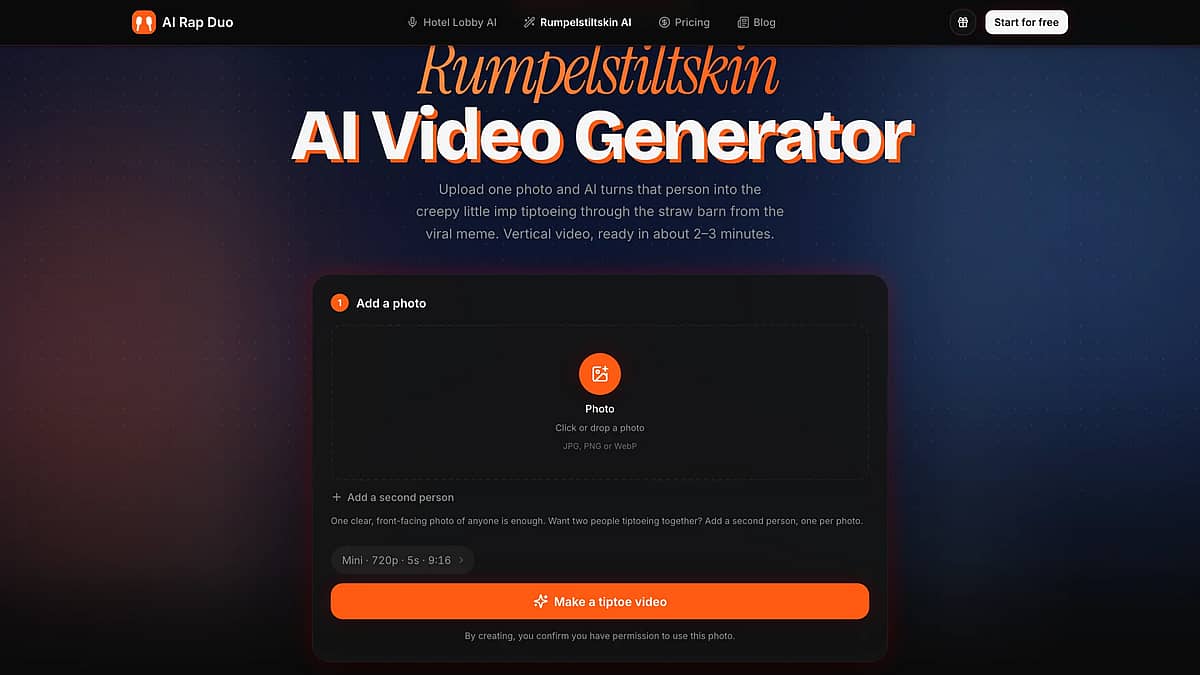
How to Make a Rumpelstiltskin AI Video: Step-by-Step Tiptoe Meme Tutorial
To make a Rumpelstiltskin AI video, upload one clear photo to a generator built for the meme, keep the vertical 9:16 setting, and press Generate. The clip is ready in about 2–3 minutes. It comes without the trend song, so you add that sound inside TikTok or Instagram when you post.
This guide walks through each step with screenshots of the generator, then covers the part most tutorials skip: getting the song, the caption and the AI label right so the post looks like the trend and stays up.
Making a Rumpelstiltskin AI video takes five steps and about 3 minutes:
- Pick a clear, front-facing photo.
- Upload it, and add a second person if you want two dancers.
- Keep 9:16 and 5 seconds, or change the length and model.
- Press Make a tiptoe video and wait 2–3 minutes.
- Add the tiptoe song in TikTok or Instagram and switch on the AI label.
Turn one photo into the tiptoeing imp from the barn clip. Make your Rumpelstiltskin AI video → One selfie is enough, a second person is optional, and the vertical clip is ready in about 2–3 minutes.
What is the Rumpelstiltskin AI video?
The Rumpelstiltskin AI video is a short AI-generated clip of a small, grinning imp who tiptoes through a candlelit straw barn, shushes the camera and dances around a frightened young woman. The straw then turns into gold coins, she kisses him, and he becomes a handsome prince. It looks like a lost 1980s fantasy film, but no film contains this scene. The look borrows from 1980s puppet fantasy films such as Labyrinth and The Dark Crystal, as LADbible pointed out.
The clip was first posted on Instagram on August 27, 2026, by an AI art account (LADbible). Know Your Meme lists it as confirmed AI. In late September, TikTok users paired the dance with Riff Raff's 2014 song "Tip Toe Wing In My Jawwdinz," and that pairing became the meme. NBC News reported that some viewers were convinced it came from the 1987 Rumpelstiltskin musical, and that one early TikTok post of the clip passed 900,000 views in under a week. AI Rap Duo is not affiliated with the artist, the original creators or any of these outlets.
The story itself is older. In the Brothers Grimm tale, a little man spins a room full of straw into gold for a miller's daughter and asks for her firstborn child in return (University of Pittsburgh translation). The AI clip keeps the straw, the gold and the imp, and drops the bargain.
What people make now are remixes: the same barn and the same tiptoe dance, with someone else as the imp.
How do you make your own Rumpelstiltskin AI video?
There are three common ways to make your own Rumpelstiltskin AI video, and they give very different results. A free template reuses a fixed clip. A general AI video app can put anyone in the scene but needs a prompt and several tries. A meme-specific generator needs one photo and no prompt. The table compares them.
| Free template or green screen | General AI video app | Meme-specific generator | |
|---|---|---|---|
| Is your chosen person the dancer? | Usually no: the original imp stays, or is pasted over a new background | Yes, if your prompt works | Yes, generated from your photo |
| What you do | Pick a CapCut template or a green-screen cutout and add a caption | Upload a photo and write a long prompt describing the barn, costume and dance | Upload one photo and press Generate |
| Barn, costume and tiptoe | Fixed, from the original clip | You describe them, and results vary | Built in |
| Sound | Often includes the trend song | Varies by app | AI background music; you add the song when posting |
| Cost | Free | Free tier, then credits or a subscription | Credits per video |
Pick a template if you only want the original imp with your own caption. Green-screen versions of the dancer circulate for exactly this, as LADbible noted.
Pick a general video app (Kling, Seedance and similar) if you enjoy writing prompts and re-rolling until the dance looks right.
Pick a meme-specific generator if you want a particular person, you or a friend, to be the one tiptoeing, without writing anything. The rest of this guide uses the Rumpelstiltskin AI generator on our site.
How are AI story videos like this one made?
General AI video apps don't have the barn built in, so creators build the scene in pieces. Top5Apps' reconstruction guide describes the usual order: lock the character with one reference image, lock the set with a still of the straw barn, then animate short beats one action at a time (the tiptoe, the shush, the dance) and join them in a video editor. The guide also notes that nobody has claimed the clip or named the tool behind it, so any recipe is a reconstruction. A meme-specific generator skips these steps, because the barn, the costume and the dance are already set up.
Step 1: Pick a photo that works for your Rumpelstiltskin AI clip
The photo decides how recognizable the imp looks. The generator keeps the face recognizable, but every render is a new clip, so a weak photo gives the AI less to work with. Use this checklist before you upload:
- Front-facing. The whole face in frame, looking at or near the camera.
- Good light. Daylight or bright indoor light. Dim bar photos lose detail.
- Nothing on the face. Take off sunglasses, and keep hair and hands away from the face.
- No heavy beauty filters. A smoothed, filtered face is harder to match.
- One person per photo. Crop out other people, or use the second-person slot instead.
- Any file shape. Very wide or very tall photos are padded automatically, so you don't need to crop to 9:16. JPG, PNG and WebP all work.
Use only photos of yourself or of people who agreed to be in the video. Celebrities, public figures and anyone under 18 without a parent's consent are off limits on our generator.
Step 2: Upload the photo (and a second person)
The workbench at the top of the tool page has one upload box. Click it or drop your photo in.
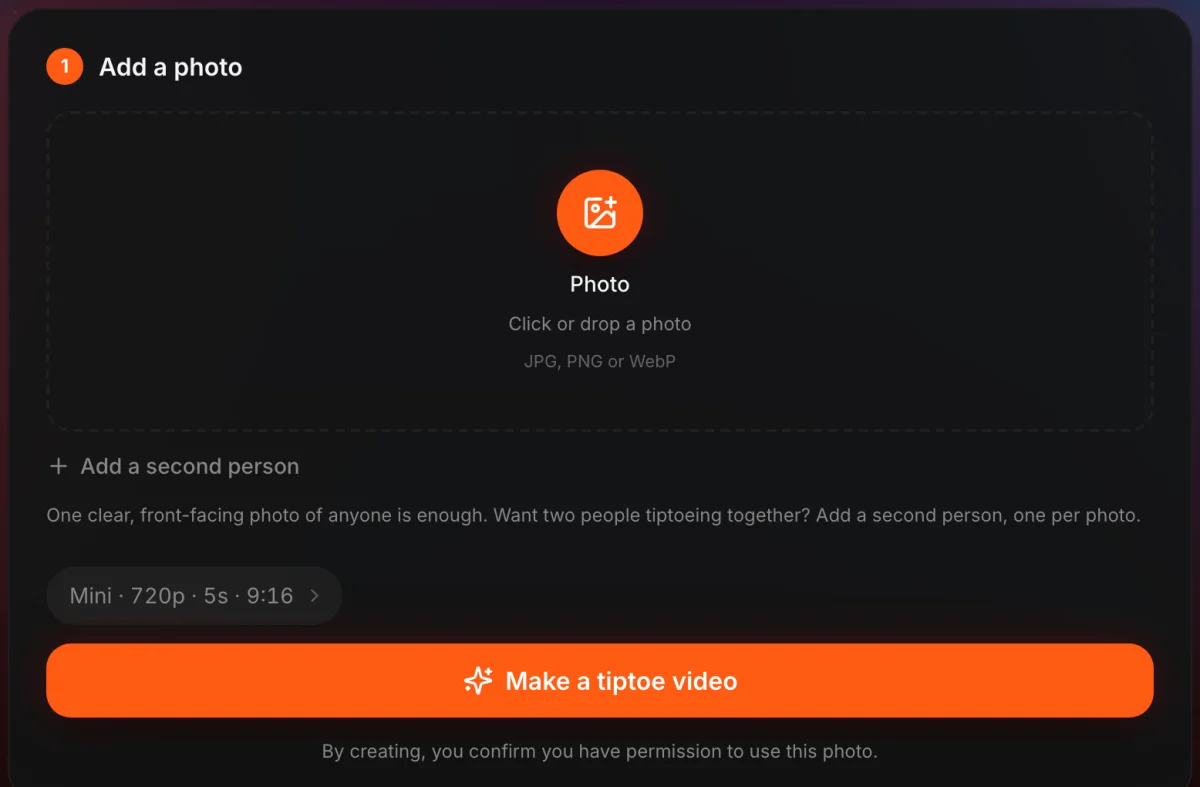
Want two dancers? Click Add a second person. A second box appears, and both people tiptoe through the barn together. The two photos don't need to be taken together, so a friend in another city works fine.
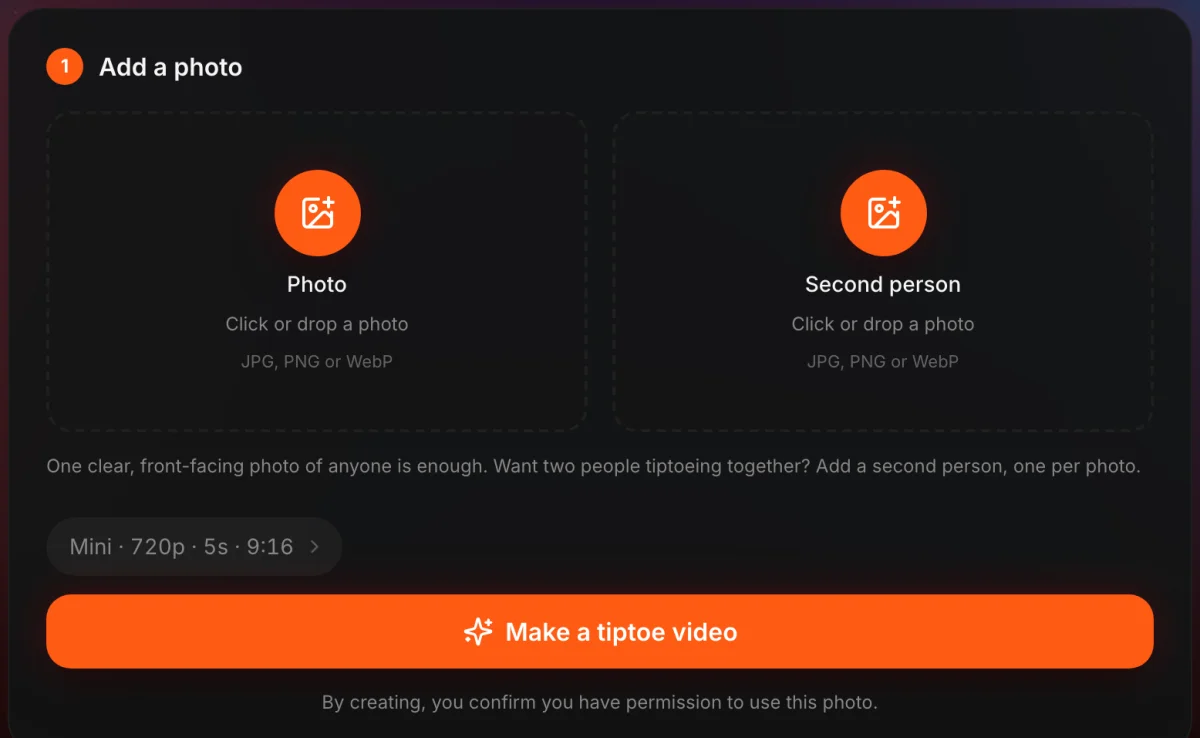
The line under the button is a real check: by creating, you confirm you have permission to use the photo.
Step 3: Choose length, format and model
The settings capsule starts at Mini, 720p, 5 seconds and 9:16. That default fits TikTok, Instagram Reels and YouTube Shorts, so most people never open it. Click the capsule to change four things:
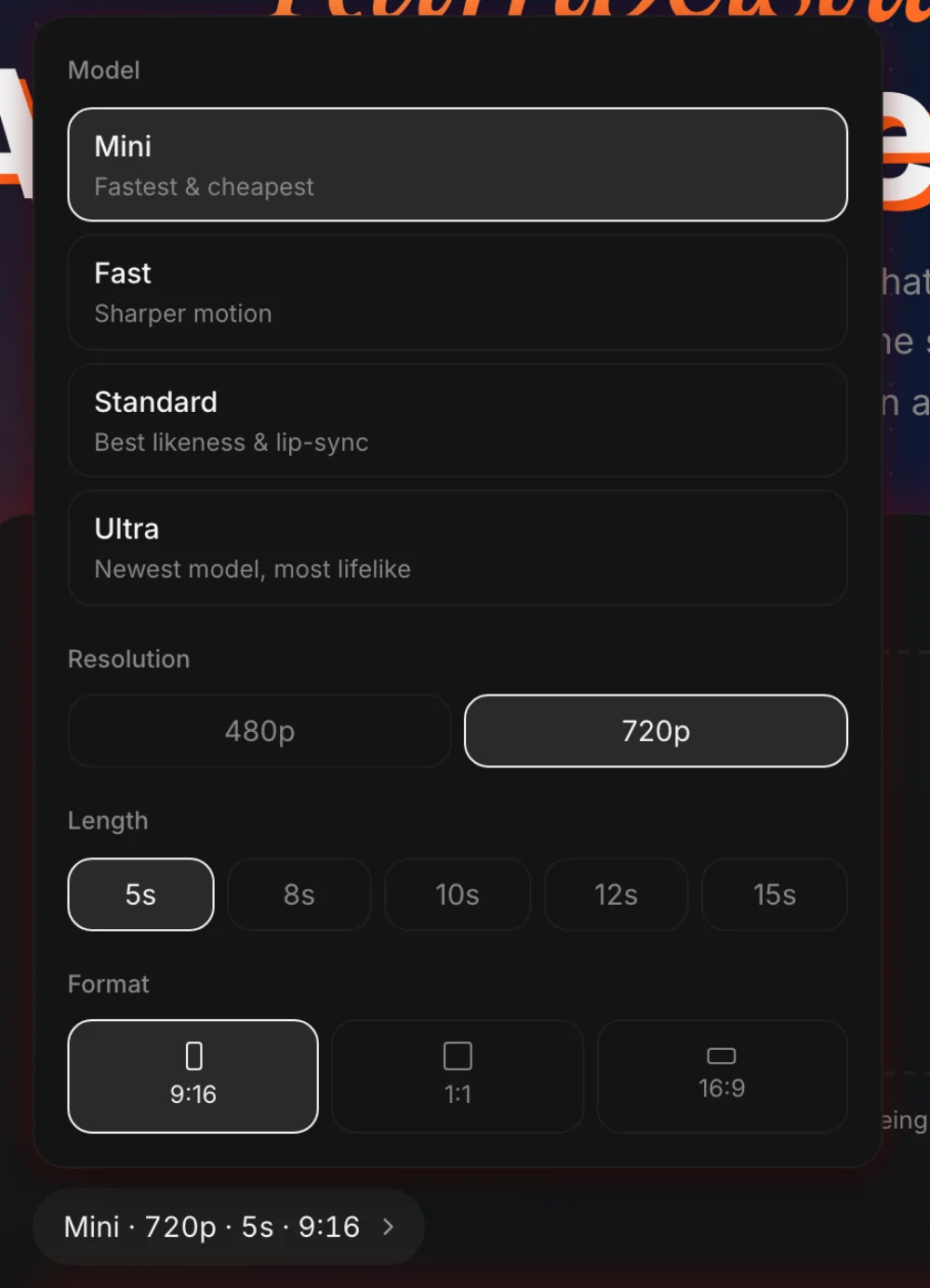
- Length. 5 seconds is the quick reaction clip. 10 to 15 seconds gives the dance more room; the barn scene stays the same.
- Format. 9:16 for vertical feeds, 1:1 for a square post, 16:9 for YouTube or a widescreen movie look.
- Resolution. 480p or 720p.
- Model. Mini is the fastest and cheapest. Fast, Standard and Ultra cost more credits.
Credits depend on model, length and resolution. Here is what a 5-second 720p clip costs on each model:
| Model | 5 seconds, 720p |
|---|---|
| Mini | 4 credits |
| Fast | 7 credits |
| Standard | 8 credits |
| Ultra | 13 credits |
A 15-second Mini clip costs 13 credits, and 480p costs about 40% less than 720p. Credit packs and plans are on the pricing page.
Step 4: Generate your Rumpelstiltskin AI clip and check the preview
Sign in and press Make a tiptoe video. Most clips are ready in 2–3 minutes. You can close the tab while it renders, because the finished video waits in your History. If a render fails, the credits go back to your balance automatically.
New accounts can start with a free preview: a 5-second, 480p clip with a watermark. Use it to check one thing before you pay: does the imp look like your person? If the face drifts, try a sharper, more front-facing photo rather than the same one again.
Every generation is new. The expression, hair and camera angle change from take to take, so generating again gives you a different version, not a copy.
Step 5: Add the tiptoe song on TikTok or Instagram
Your Rumpelstiltskin AI clip arrives with eerie AI background music and sound effects, not the song from the meme. Adding the trend sound is a posting step, and it takes under a minute.
On TikTok:
- Upload the video from your phone and open the editing screen.
- Tap Add sound, then search for the tiptoe song.
- Tap Trim if you want the beat to start on the first tiptoe.
- Post.
TikTok's own help page notes that a newly added sound replaces all previous background music and voices, so the AI track drops out cleanly (TikTok Support). One catch for brands: Business Accounts can only use music licensed for commercial use. If the song doesn't show up on a business account, pick a sound from the commercial library instead.
On Instagram Reels: tap Music in the Reels editor, search for the song and choose the part you want, as described in Instagram Help.
Label it as AI. TikTok asks creators to label content that shows people doing something they didn't do, and its own example is dancing (TikTok Support). Switch on the AI-generated label or add a hashtag. It costs nothing and keeps the joke a joke. Don't caption it "Rumpelstiltskin (1987)" either: the clip spread partly because viewers took it for a real 1987 film, and a caption that says so adds to the confusion.
Caption ideas that fit the dance: sneaking to the kitchen at 2 a.m., leaving a party the second your social battery dies, or the walk out of a meeting that just got cancelled. The tiptoe reads as sneaky or smug, so give it a reason.
What mistakes make a Rumpelstiltskin AI video flop?
Most disappointing Rumpelstiltskin AI clips come from a handful of mistakes, and each one has a quick fix.
- Expecting the original clip. The AI generates a new barn scene with your person in it. Nothing from the original video is pasted in, so it will never match it frame for frame. Your version skips the kiss and the prince.
- Sunglasses, filters or a group photo. These cause most likeness problems. Go back to the Step 1 checklist.
- Posting without the song. Without the tiptoe sound, viewers may not recognize the trend. Add it in the app.
- Posting from a business account. The song may not be available. Use a personal account for the trend post, or pick a commercial sound.
- Skipping the AI label. TikTok may label AI content automatically anyway. Label it yourself first.
- Using someone's photo without asking. Ask first, and leave celebrities out.
FAQ
Is the Rumpelstiltskin meme AI?
Yes. The Rumpelstiltskin tiptoe clip was made with AI and first posted on Instagram in August 2026. It is not footage from the 1987 film or any other movie, and Know Your Meme lists it as confirmed AI-generated.
Is it free to make a Rumpelstiltskin AI video?
The full, watermark-free video is paid, because generating AI video costs real money for every clip. A 5-second 720p video costs 4 credits on the Mini model; packs start at $6.99 and plans at $19.90 a month on the pricing page. New accounts get 5 free credits, enough for one 5-second 480p preview with a watermark, and a daily check-in adds 1 credit. The free route is a CapCut template, but it reuses a fixed clip and can't generate a new dance with your face in it.
Is it illegal to make an AI video of someone?
It depends on whose face you use and how you use the video. Making one of yourself, or of a friend who agreed, for a joke post is the normal use. Using someone's likeness without consent, or to mislead or harass, can break platform rules and local law. Our generator only allows photos of yourself and of people who agreed.
How long does it take?
Most clips are ready in 2–3 minutes after you press Generate. Adding the song in TikTok takes another minute.
Does it use the original video or the original song?
No. The AI makes a new clip of your person in the same kind of barn, and the clip comes with AI background music and sound effects. You add the trend song from the TikTok or Instagram sound library.
Can I make it with a friend or my partner?
Yes. Click Add a second person and upload a second photo, one person per photo. Both people tiptoe through the barn together.
Make your Rumpelstiltskin AI clip while the trend is still climbing
One photo and a few minutes is all it takes. Open the Rumpelstiltskin AI generator →, add the song when you post, and switch on the AI label.
If you like this kind of trend, the same site makes an AI rap duo video from two photos, and a Hotel Lobby AI video of you and a friend rapping in the orange booth.